
 OnceHub
 ScheduleOnce

Personalizing with dynamic URL parameters
Personalized links using URL parameters are Booking page links that contain Customer information and Booking form data. With Personalized links (URL parameters), prospects and Customers click on your Booking page link and pick a time, without having to provide any information that is already known to you.
The Booking form can either be prepopulated with their details or skipped altogether. You can also add source tracking tags to personalized Booking page links, letting you analyze where your bookings come from.
Creating a Personalized link (URL parameters)
Section titled “Creating a Personalized link (URL parameters)”-
Go to Booking pages in the bar on the left → Booking page → Share & Publish.
-
Select the Mail merge tab.
-
Select the relevant Booking page in the drop-down menu (Figure 1).
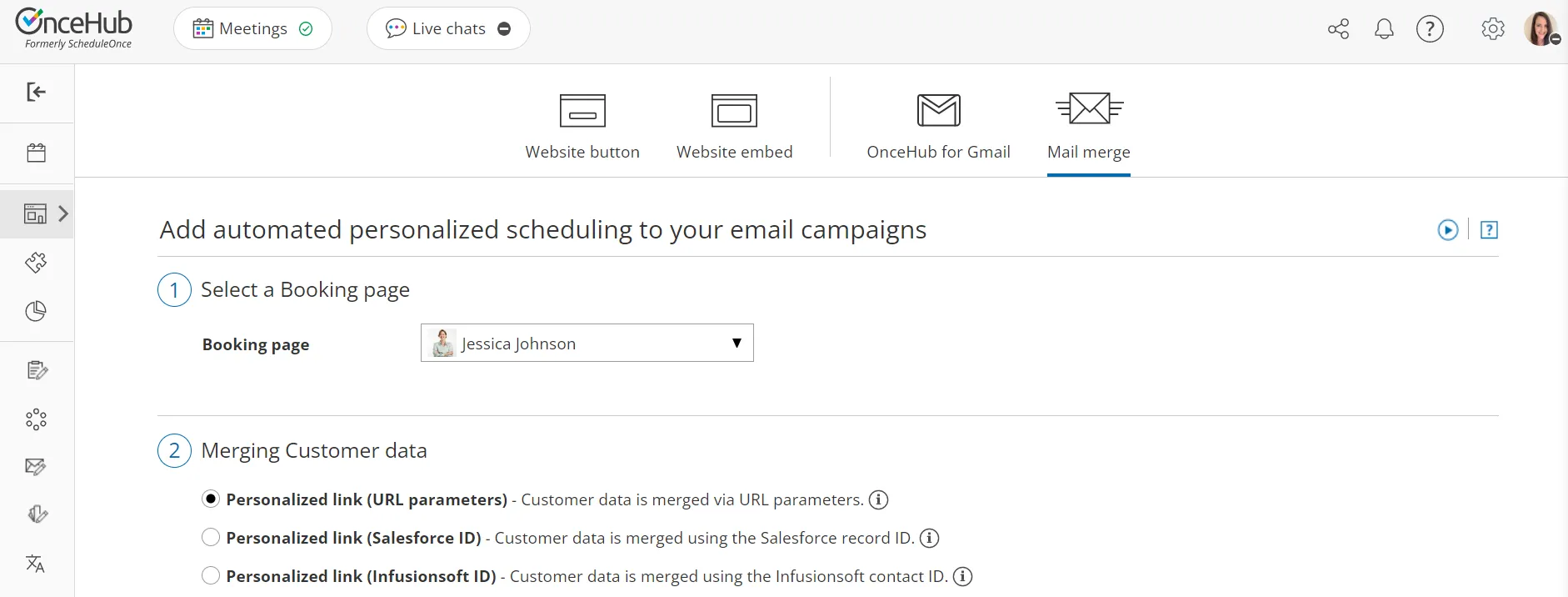
Figure 1: Select a Booking page drop-down menu
-
In the Customer data step (Figure 2), select Personalized link (URL parameters).

Figure 2: Customer data step
-
In the Booking form step, you can select one of the two options below:
- Skip the Booking form: Skipping the Booking form helps you maximize your booking conversions and provides your Customers with a quicker booking process.
- Prepopulate the Booking form: If you select this option, the booking data is visible in the Booking form and can be edited by the Customer before submission. Learn more about prepopulated Booking forms
-
In the Copy link step, click Copy link to copy the Personalized link to your clipboard (Figure 3).
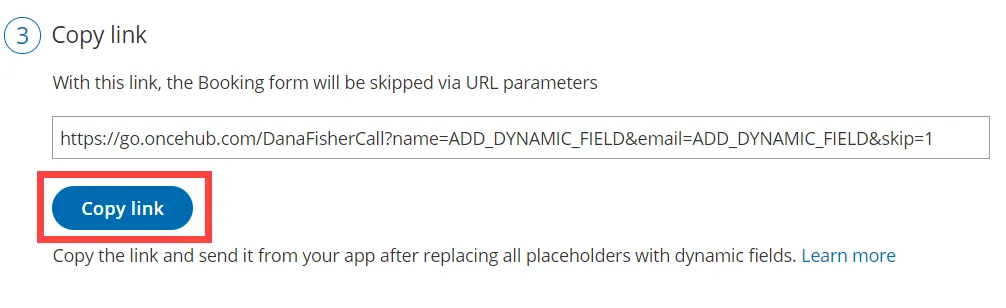 Figure 3: Copy link step
Adding your own URL parameters
Section titled “Adding your own URL parameters”If you need to replace the ADD_DYNAMIC_FIELD placeholders (Figure 4) with your own parameters, you can copy the link to a notepad. Learn more about supported OnceHub URL parameters
Merged values must be properly encoded in order to be passed in the URL. Some characters like at (@), period (.), dash (-) and underscore (_) are OK, but all URL invalid characters like plus (+) or space ( ) must be URL encoded.
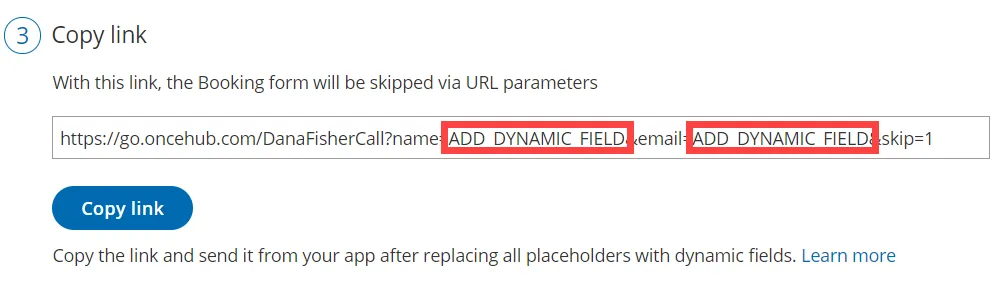 Figure 4: ADD_DYNAMIC_FIELD placeholders
For example, if you use MailChimp, the link might look like this:
*https://go.oncehub.com/dana?name=\*|NAME|\*&email=\*|EMAIL|\**
In this example, the *|NAME|* and *|EMAIL|* fields are merge fields which are replaced with a single Customer name and email respectively during the email campaign, creating a personalized email for each lead in your list.