
 OnceHub
 ScheduleOnce

Public content
The Public content section includes all the information that is available to your Customers when they book with you online.
Location of the Public content section
Section titled “Location of the Public content section”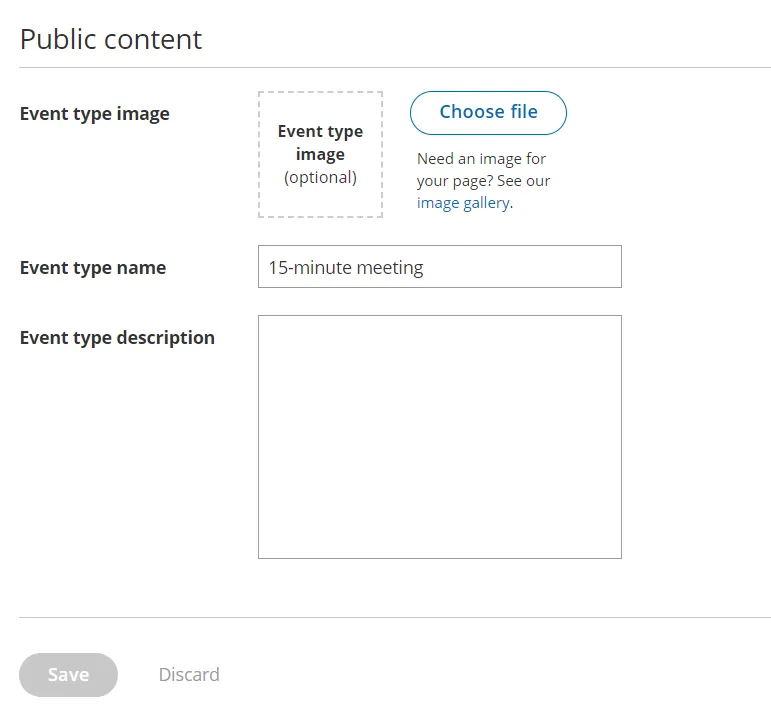 Figure 1: Public content section
Event type image
Section titled “Event type image”Upload an image in JPG, PNG or GIF format (max 200KB). It will be cropped or scaled to a 200 x 200 pixels rectangle as part of the upload process.
Event type name
Section titled “Event type name”You can use up to 75 characters, including spaces.
Event type description
Section titled “Event type description”You can enter up to 2,000 characters, including spaces.
The Event type description allows you to include HTML links.
For instance, adding this code in the Public content session:
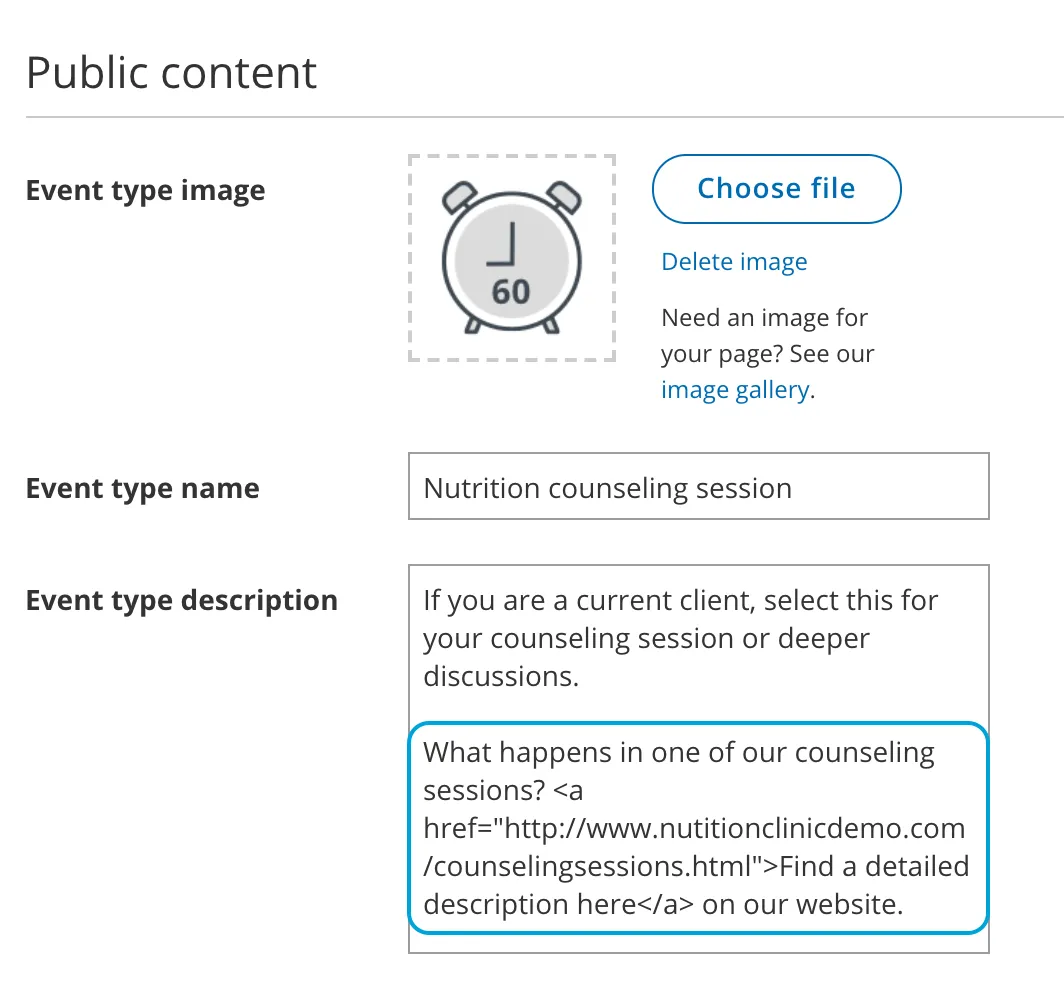 Figure 2: HTML link in the Event type description
…results in this link shown on the customer end:
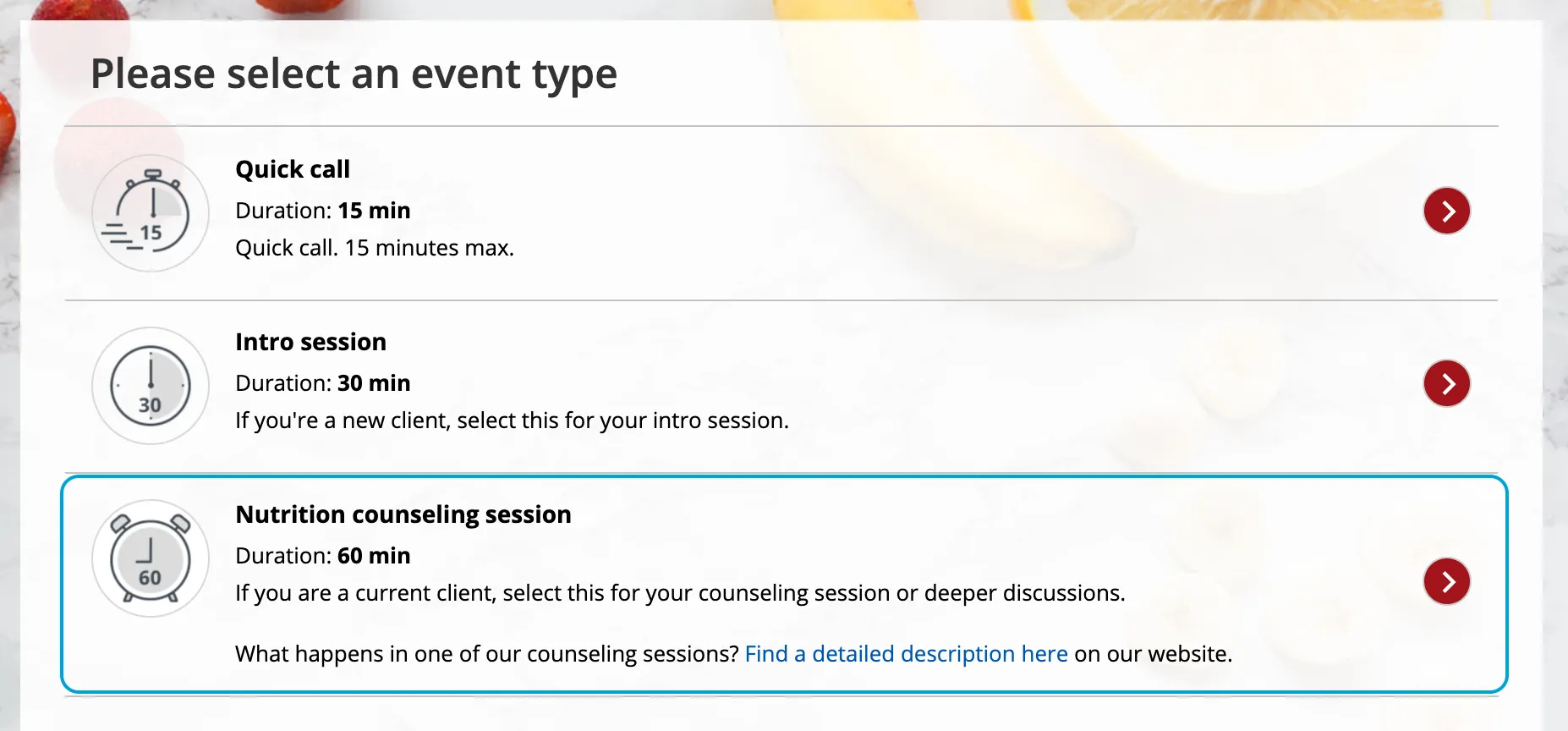 Figure 3: Event type description including HTML link
© Copyright 2026 OnceHub. All rights reserved.