
 OnceHub
 ScheduleOnce

Master page scenario: Team or panel page
When your Master page uses team or panel pages, you can set up specific rules to define which Team member is assigned to a booking.
Team or panel pages
Section titled “Team or panel pages”Booking assignment is defined per Event type offered on your Master page. Each Event type can be provided by a specific Booking page, or a member of a Resource pool, allowing you to dynamically assign bookings to your team. This allows for flexible setup that can be different for each Master page.
You can also generate one-time links which are good for one booking only, eliminating any chance of unwanted repeat bookings. A Customer who receives the link will only be able to use it for the intended booking and will not have access to your underlying Booking page. One-time links can be personalized, allowing the Customer to pick a time and schedule without having to fill out the Booking form. Learn more about using one-time links
The Customer scheduling flow
Section titled “The Customer scheduling flow”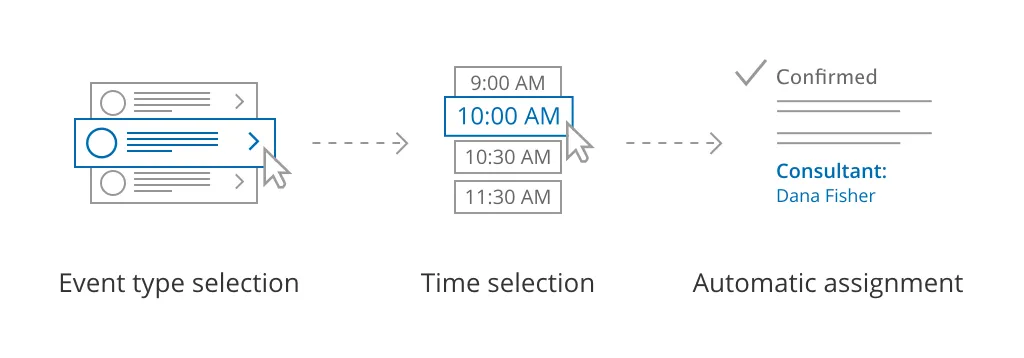 Figure 1: Team or panel pages
First, Customers select an Event type. Then, they are presented with all available times. Once they select a date and time, the booking is automatically assigned to a Team member or members according to the rules you defined.