
 OnceHub
 ScheduleOnce

Adding Event types to Booking pages
Event types are a powerful tool to standardize the meeting types that will be offered on different Booking pages. We recommend associating your Booking page with at least one Event type. This enables better modeling of advanced scheduling scenarios (for example, multi-User scenarios using Pooled availability) and provides a better scheduling experience for your Customers.
In this article, you’ll learn about adding Event types to Booking pages.
Location of scheduling sections
Section titled “Location of scheduling sections”When you associate Event types with Booking pages, some of your scheduling settings are related to the Event type and some are related to the Booking page.
The table below shows the settings that are related to each:
Requirements
Section titled “Requirements”To associate Event types with a Booking page, you must have permission to edit the Event types section of the Booking page.
Associating Event types
Section titled “Associating Event types”-
Go to Booking pages in the bar on the left. Create the Event types that you wish to use. Note that you can also duplicate existing Event types.
-
Select the relevant Booking page.
-
Select the Event types section of the Booking page. You will see a list of Event types you have created in your account (Figure 1).
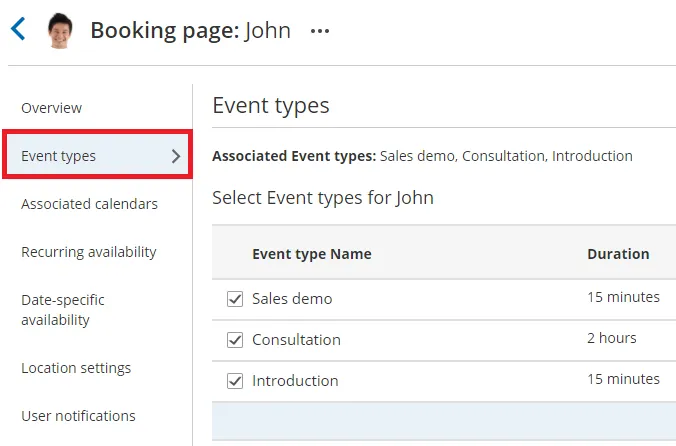
Figure 1: Event type section
-
Check the checkbox next to each Event type that you want to associate with this Booking page.
-
Click Save.